Chess OCR: From Data to Deployment
Building a chess position recognition system from data collection to browser deployment.
Introduction
Recognizing an entire board requires extensive training data. The simpler approach: split the board into 64 squares, classify each independently, then reconstruct the position. Output includes Lichess links for editing and analysis.
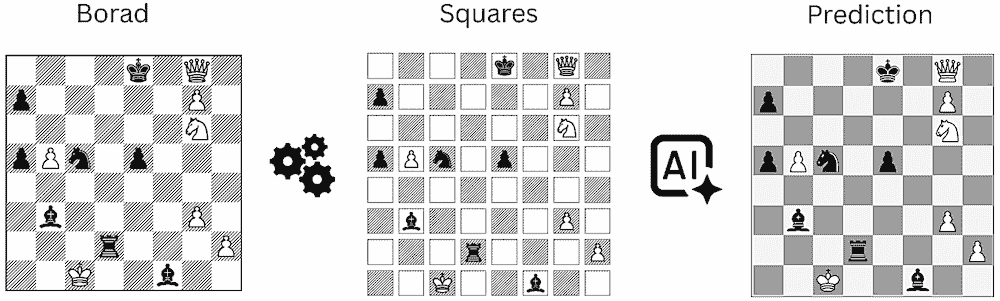
Assumptions:
- Single board per image, no perspective distortion
- Standard orientation: white squares at top-left and bottom-right corners
Dataset Collection
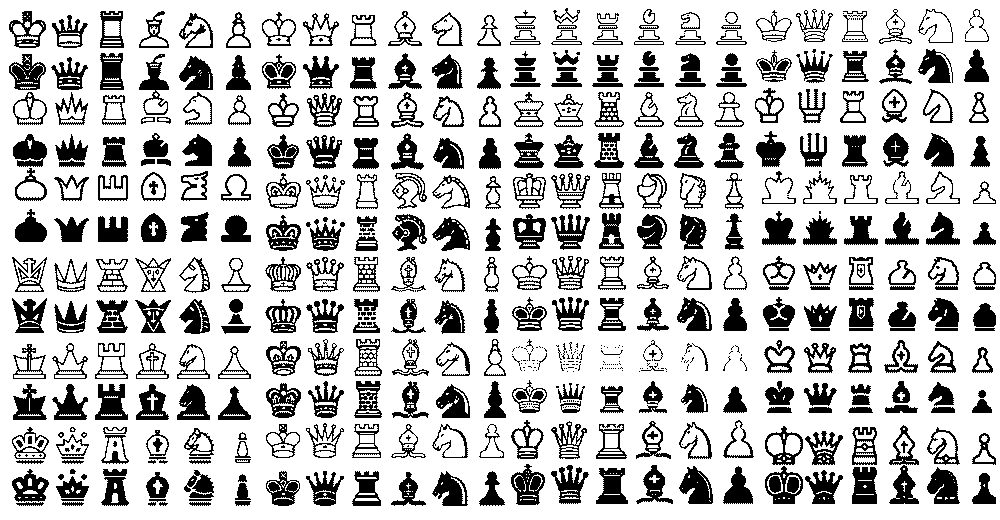
Ready-made chess image datasets are hard to find, probably because of copyright, so I had to make my own for private educational use. I used about 70 board images, removed borders, split them into 64 squares, and labeled the pieces. I also applied simple data augmentation like scaling, moving, and flipping to get more training data.
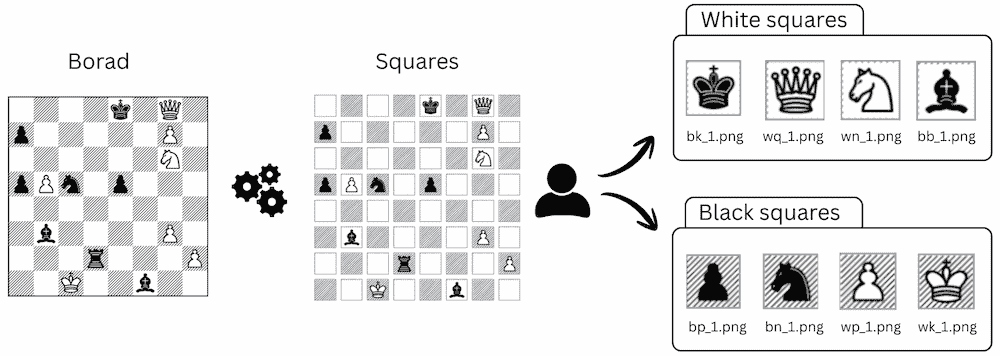
Key challenges:
- Class imbalance: Pawns appear far more frequently than kings or queens
- Positional bias: White kings typically occupy dark squares while black kings occupy light squares
- Style variation: Piece designs vary across books and publication periods, making it hard to cover all styles
Notebook: Data Preprocessing
Training
Representation Learning
As part of a CAS AML program, I trained both an autoencoder and a SimCLR model to compare unsupervised learning approaches. Both used a simple CNN—faster to train and smaller to deploy than pretrained networks.
SimCLR separated the pieces more clearly in the embedding space, which made it a better choice for classification.
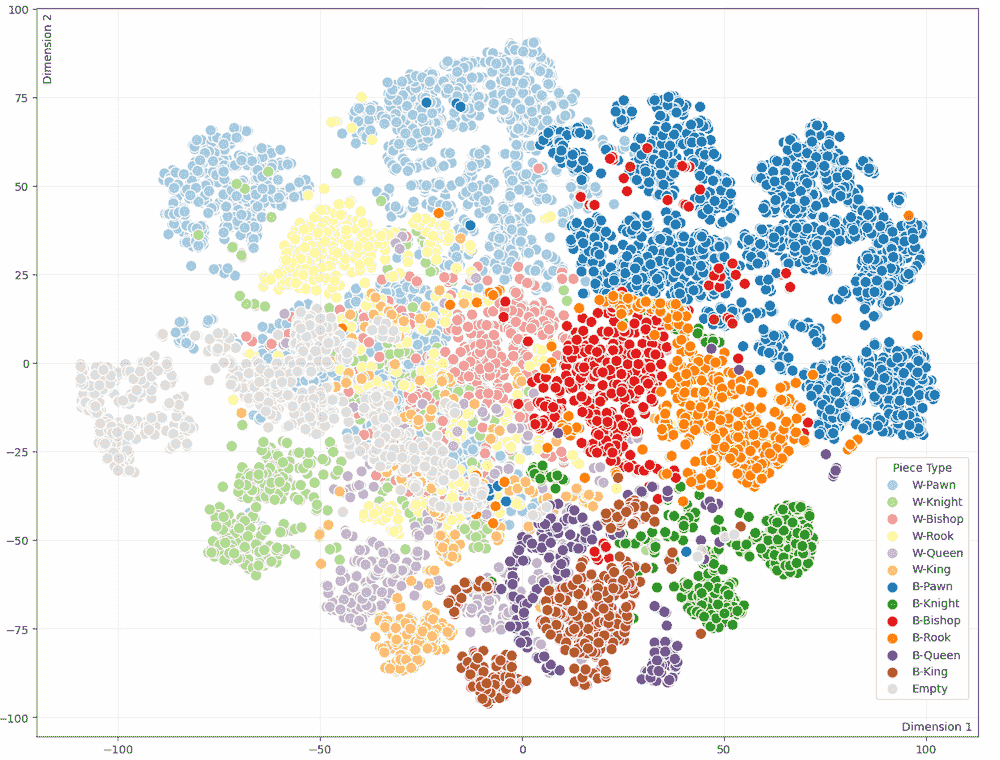
Autoencoder t-SNE projection
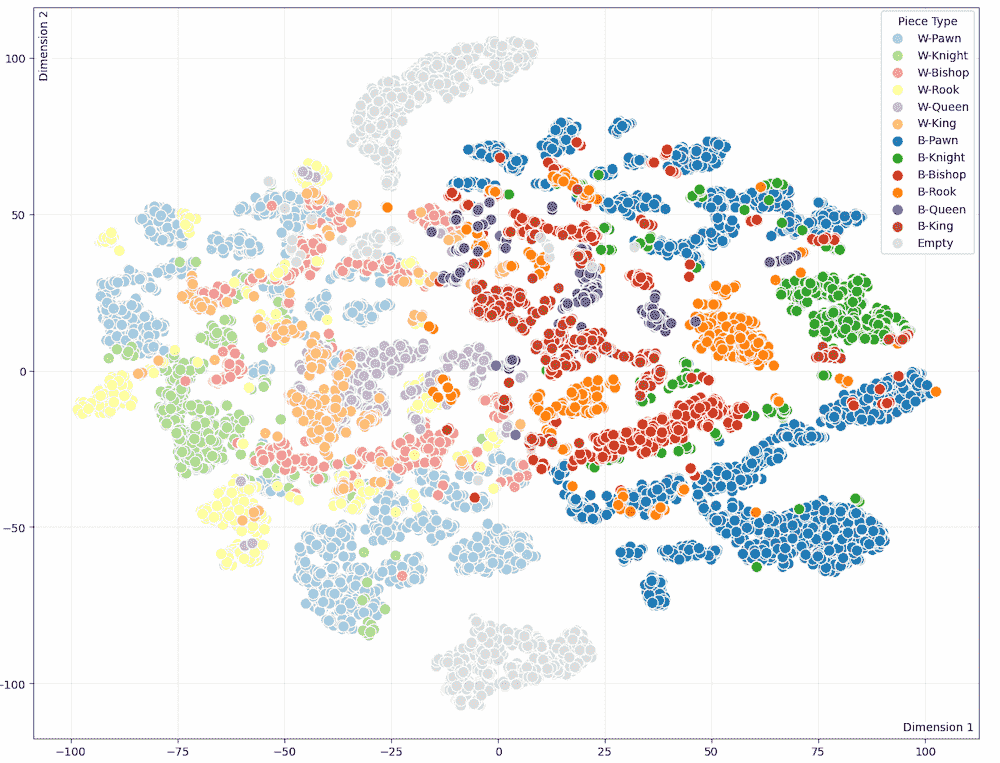
SimCLR t-SNE projection - better piece separation
Classification
I took the SimCLR encoder and added a classifier on top (13 classes: 6 white pieces, 6 black pieces, empty). Then trained three models—one on white squares, one on black squares, and one on both combined.
Two approaches are available in the dropdown: split uses separate models per color, single uses one model for everything. Split usually performs better.
Notebooks: Representation Learning · Classification
Deployment
The goal: no-cost solution, no accounts, no infrastructure. I tested three deployment options:
Railway
✗ Short trial period before requiring payment
Render
✓ Free tier available
✗ Cold starts >50 seconds after 15 minutes of inactivity
ONNX Runtime Web + Pyodide
✓ Runs entirely in browser
✓ No server costs
✓ Instant response, no cold starts
✗ Larger initial download
I chose browser deployment. Pyodide handles preprocessing (border removal, square extraction), ONNX Runtime Web runs the CNN models.
Try It!
Initializing...
Conclusion
This article shows a complete ML pipeline—from collecting data to running models in your browser. Try uploading different chess diagrams and you'll probably find some that don't work, especially boards with unusual piece styles or low-quality scans.
Some ideas for making it better:
- Generate synthetic data to cover more piece styles
- Try transfer learning with larger pretrained models
- Improve board detection with a pretrained model
- Check for illegal positions (missing kings, pawns on the back rank, etc.)